Regular expressions are one of the most powerful tools in a developer’s toolkit. They’re also one of the most frustrating to write blind.
A single misplaced character can turn a perfectly logical pattern into something that matches nothing — or worse, matches everything. And debugging regex inside your application code, with a compile-build-run cycle between every tweak, is a slow and painful process.
The smarter approach? Test regex patterns online in a live environment where you can see matches in real time, iterate instantly, and validate your logic before it ever touches production code.
In this guide, you’ll learn what regex is, why testing matters, common patterns developers use every day, and how to use a free online regex tester to debug and validate them in seconds.
What Is a Regular Expression?
A regular expression (regex or regexp) is a sequence of characters that defines a search pattern. Developers use regex to:
- Validate input — is this a valid email address?
- Search and extract — find all URLs in a block of text.
- Replace content — normalize phone number formats.
- Split strings — break a CSV line on commas, but not inside quotes.
Regex is supported natively in JavaScript, Python, PHP, Java, Go, Ruby, and virtually every other modern language. The syntax is largely consistent, making it a genuinely universal skill.
Anatomy of a Regex Pattern
/^[a-zA-Z0-9]+$/Breaking it down:
/— delimiters (JavaScript syntax)^— start of string anchor[a-zA-Z0-9]— character class: letters and digits+— one or more of the preceding character$— end of string anchor
This pattern matches any string containing only letters and numbers, from start to finish.
Why Testing Regex Patterns Matters
Regex looks deceptively simple. In practice, it’s full of edge cases that are nearly impossible to catch without a regex testing tool.
1. Greedy vs. Lazy Matching
By default, quantifiers like * and + are greedy — they match as much as possible. This causes unexpected over-matching.
Pattern: <.+>
Input:   <div>Hello</div>
Match:   <div>Hello</div>   ← matched everything, not just the tag
Adding ? makes it lazy:
Pattern: <.+?>
Match:   <div>   ← stops at the first closing >
2. Anchors and Boundaries
Forgetting ^ and $ anchors causes a pattern to match a substring when you intended a full-string match.
Pattern: \d{4}
Input:   abc1234xyz
Match:   1234   ← matched inside the string
3. Unescaped Special Characters
Characters like ., (, ), [, *, +, ? have special meaning in regex. To match them literally, escape with \.
Pattern: 3.14    ← matches "3X14", "3.14", "3!14" (dot = any char)
Pattern: 3\.14   ← matches only "3.14"
A live regex tester catches all of these issues immediately, without guessing.
5 Real-World Regex Examples to Test Right Now
Here are five patterns every developer should know, complete with test cases you can paste directly into a JavaScript regex tester.
1. Email Address Validation
/^[a-zA-Z0-9._%+-]+@[a-zA-Z0-9.-]+\.[a-zA-Z]{2,}$/| Input | Result |
|---|---|
user@example.com | ✅ Match |
dev.name+tag@company.co.uk | ✅ Match |
user@.com | ❌ No match |
@nodomain.com | ❌ No match |
2. Phone Number (International / E.164 Format)
/^\+?[1-9]\d{1,14}$/| Input | Result |
|---|---|
+919876543210 | ✅ Match |
14155552671 | ✅ Match |
+0123456789 | ❌ No match (starts with 0) |
+1-800-555-0199 | ❌ No match (hyphens not included) |
3. Strong Password Validation
/^(?=.*[a-z])(?=.*[A-Z])(?=.*\d)(?=.*[@$!%*?&])[A-Za-z\d@$!%*?&]{8,}$/Enforces: 8+ characters, one uppercase, one lowercase, one digit, one special character.
| Input | Result |
|---|---|
Secure@123 | ✅ Match |
MyP@ssw0rd! | ✅ Match |
password | ❌ No match |
Pass1 | ❌ No match (too short) |
This pattern uses lookaheads ((?=...)) to enforce multiple conditions simultaneously — a great one to validate regex patterns against edge cases.
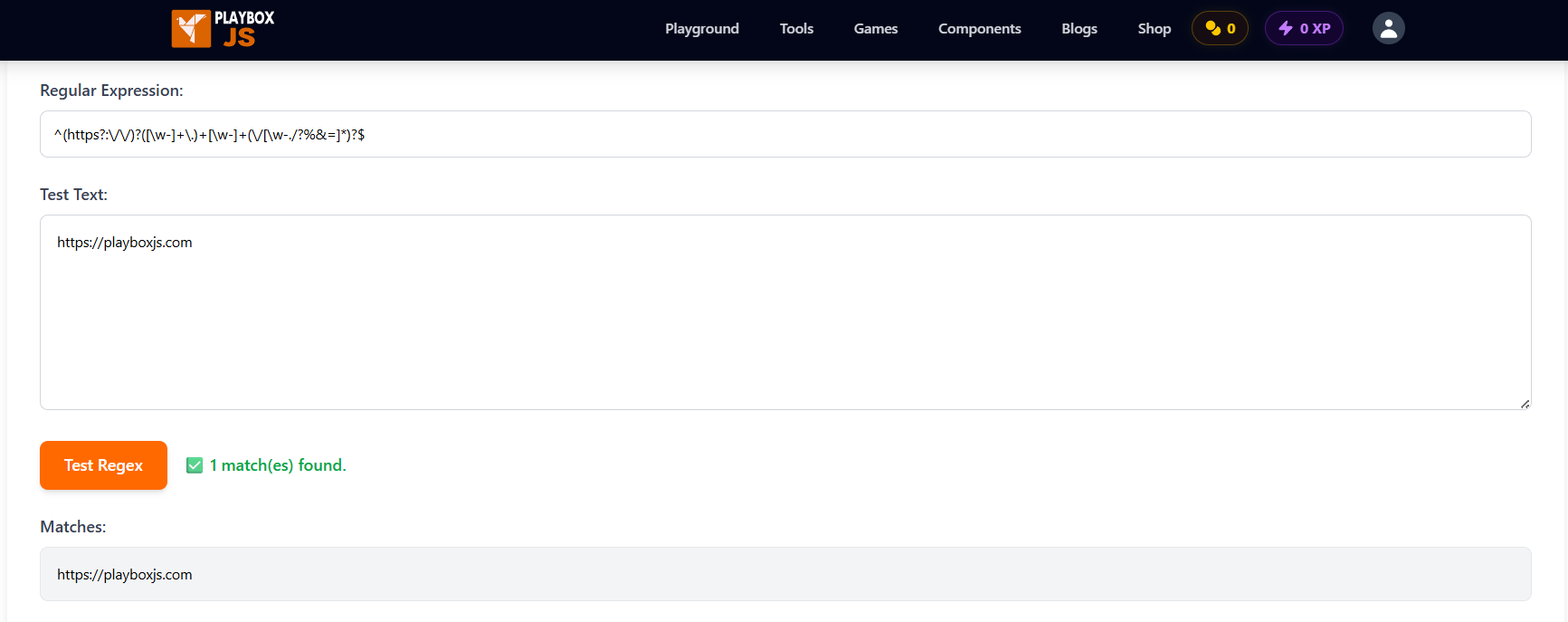
4. URL Validation
/^(https?:\/\/)?([\w-]+\.)+[\w-]+(\/[\w-./?%&=]*)?$/| Input | Result |
|---|---|
https://playboxjs.com | ✅ Match |
http://example.co.uk/path?q=1 | ✅ Match |
ftp://not-http.com | ❌ No match |
just-text | ❌ No match |
5. Integer and Decimal Number
/^-?\d+(\.\d+)?$/| Input | Result |
|---|---|
42 | ✅ Match |
-3.14 | ✅ Match |
3. | ❌ No match (trailing decimal) |
abc | ❌ No match |
How to Test Regex Patterns Online: Step-by-Step
Testing regex inside your IDE or application is slow. A dedicated online regex tester gives you instant visual feedback — matches highlight in real time as you type.
The PlayboxJS Regex Tester is a free, browser-based regular expression tester built for exactly this workflow.
Step 1: Open the Regex Tester
Go to playboxjs.com/tools/regex-tester. No sign-up, no installation — it loads instantly.
Step 2: Enter Your Pattern
Type or paste your regex into the Pattern field. Include flags like g (global), i (case-insensitive), or m (multiline) as needed.
Step 3: Add Your Test Input
Paste the string you want to validate in the Test String area. Use multiple lines to test several inputs at once.
Step 4: See Matches in Real Time
Matches highlight immediately as you type. You can see exactly which parts of your input the pattern captures — no guessing, no console.log debugging.
Step 5: Iterate and Refine
Adjust your pattern, toggle flags, or change the test input. The tool updates instantly. This tight feedback loop is what makes debugging regex online so much faster than testing inside your application.
Tips for Writing Better Regex
- Start simple, then add complexity. Get a basic pattern working first, then layer in edge cases.
- Use named groups (
(?<name>...)) to make complex patterns self-documenting. - Test with both valid and invalid inputs. A pattern that matches valid data but also matches invalid data is broken.
- Don’t over-engineer it. For very complex validation (like full RFC 5322 email), a library is often a better choice than a single regex.
Frequently Asked Questions
What is a regex tester online?
A regex tester online is a browser-based tool that lets you write a regular expression pattern and test it against sample text in real time. It highlights matches, shows capture groups, and lets you iterate without touching your application code.
What is the difference between regex flags g, i, and m?
g(global) — finds all matches, not just the first one.i(case-insensitive) — treats uppercase and lowercase as equal.m(multiline) — makes^and$match the start/end of each line, not the whole string.
You can combine them: /pattern/gim.
Why does my regex work in one language but not another?
Regex syntax is mostly consistent, but there are differences. JavaScript doesn’t support lookbehinds in older engines. Python uses re.compile() with slightly different flags. PHP uses PCRE. Always use a JavaScript regex tester when writing patterns for front-end or Node.js code.
What is a lookahead in regex?
A lookahead checks whether a pattern is followed by another pattern, without including the second part in the match.
/\d+(?= dollars)/This matches a number only if it’s followed by ” dollars”, but the match itself only includes the number.
Can regex match across multiple lines?
Yes, with the m (multiline) flag. By default, ^ and $ only match the very start and end of the entire string. With m, they match the start and end of each line.
Is regex case-sensitive by default?
Yes. /hello/ will not match "Hello". Add the i flag (/hello/i) to make it case-insensitive.
Can I use regex to parse HTML?
Technically yes, but you shouldn’t. HTML is not a regular language — it can be nested arbitrarily, and regex cannot reliably handle that. Use a proper HTML parser (like DOMParser in JavaScript) instead.
Conclusion
Regex is a skill that pays dividends across every language and every project. But writing patterns blind — without a live testing environment — is unnecessarily slow and error-prone.
Whether you’re validating a form field, parsing log files, or building a search feature, using a regex tester online makes the process faster and the results more reliable.
Try the PlayboxJS Regex Tester next time you’re working with a pattern. It’s free, instant, and runs entirely in your browser — no setup required.
While you’re there, explore more free developer tools on PlayboxJS:
- JavaScript Minifier — Compress JS for production
- JavaScript Beautifier — Format minified code for debugging
- JSON Formatter — Validate and pretty-print JSON
- Diff Checker — Compare two code blocks side-by-side