Every millisecond counts on the web. A bloated JavaScript file can silently tank your Core Web Vitals score, frustrate users on slow connections, and push your pages down in search rankings — all before a single line of your app logic even runs.
The fix is straightforward: minify your JavaScript. It’s one of the highest-impact, lowest-effort optimizations you can make, and you don’t need to install anything to do it.
In this guide, you’ll learn exactly what JavaScript minification is, why it matters, and how to do it online in under a minute using the free PlayboxJS JavaScript Minifier.
What Is JavaScript Minification?
Minification isn’t just deleting spaces—it’s a smart compression process. When you minify code, tools parse your JavaScript into an Abstract Syntax Tree (AST), analyze how variables are used, and then rebuild the code using the shortest possible syntax.
It aggressively strips out:
- Whitespace and line breaks (the browser doesn’t care about formatting).
- Comments (including docs and TODOs).
- Block delimiters (like unnecessary curly braces).
- Local variable names (via a process called “mangling”).
The result? A file that functions exactly the same but weighs significantly less.
Before vs. After: A Real-World Example
See how a readable code snippet transforms into a compact string:
Original Code (Developer Friendly):
/**
 * Calculates the final price with tax.
 * @param {number} basePrice - The item's price.
 * @param {number} taxRate - The tax percentage (e.g., 0.2 for 20%).
 */
function calculateFinalPrice(basePrice, taxRate) {
  const taxAmount = basePrice * taxRate;
  const total = basePrice + taxAmount;

  if (total < 0) {
    return 0;
  }

  return total;
}

console.log(calculateFinalPrice(100, 0.18));
Minified Code (Browser Friendly):
function calculateFinalPrice(a,b){const c=a*b,d=a+c;return 0>d?0:d}console.log(calculateFinalPrice(100,.18));What changed?
basePricebecamea.- Comments and whitespace vanished.
- The
ifstatement was converted to a ternary operator (0>d?0:d). constdeclarations were combined.
Same logic. Smaller file. Faster load.
Minification vs. Obfuscation vs. Compression
These three terms often get confused:
| Technique | What it does | Reversible? |
|---|---|---|
| Minification | Removes whitespace, comments, shortens names | Yes (with source maps) |
| Obfuscation | Scrambles code to make it unreadable | Difficult |
| Compression | Encodes the file (gzip/brotli) at the server/CDN level | Yes |
Minification and compression work at different layers and are often used together for maximum effect.
Why You Should Minify JavaScript
1. Faster Page Load Times
Smaller files transfer faster over the network. This directly improves Time to Interactive (TTI) — the point at which a user can actually interact with your page. Google’s Core Web Vitals (LCP, INP) are heavily influenced by how quickly your scripts load and execute.
A JavaScript file that’s 200 KB unminified might drop to 80–120 KB after minification, and under 30 KB after gzip compression on top of that.
2. Better SEO Rankings
Google uses page speed as a ranking signal. When you run a Lighthouse audit or PageSpeed Insights on an unoptimized site, one of the first recommendations you’ll see is “Reduce unused JavaScript” and “Minify JavaScript”. Fixing these directly improves your performance score, which feeds into your search ranking.
3. Reduced Bandwidth and Hosting Costs
Every byte you serve costs money — especially at scale. Minifying your JS reduces the amount of data transferred on every page load, which adds up significantly for high-traffic sites or mobile-first audiences on metered connections.
4. Better User Experience
Faster load times mean lower bounce rates. Users on slow networks or older devices are especially sensitive to page weight. Minification is one of the easiest ways to make your site feel snappier for everyone.
How to Minify JavaScript Online (Step-by-Step)
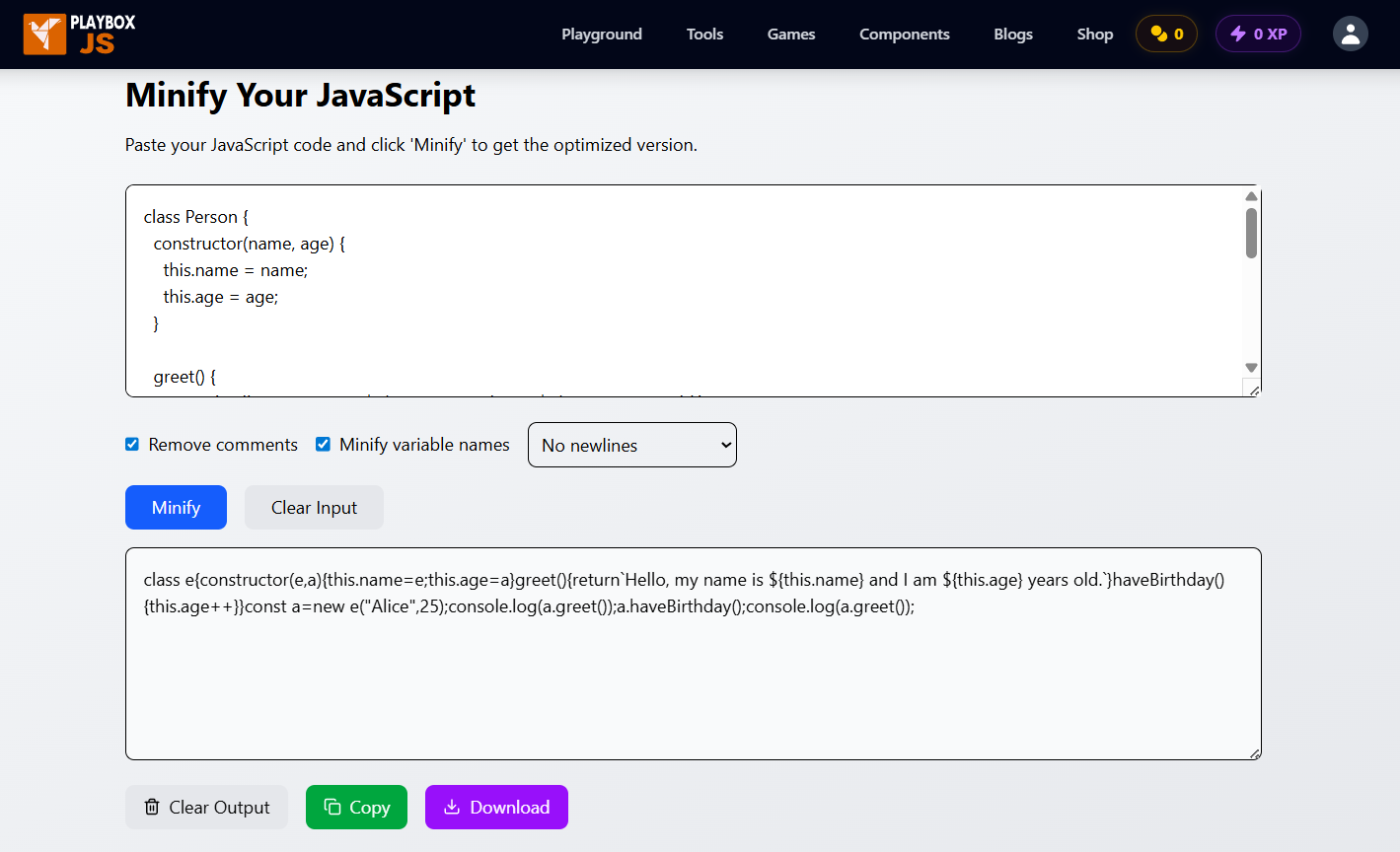
You don’t need Node.js, npm, or any build tool to minify JavaScript. The PlayboxJS JavaScript Minifier is a free, browser-based tool that works instantly — no sign-up, no installation, no file uploads to a server.
Step 1: Open the PlayboxJS JavaScript Minifier
Navigate to playboxjs.com/tools/minify-beautify/javascript-minifier. The tool loads immediately in your browser.
Step 2: Paste Your JavaScript Code
Click into the input panel and paste your JavaScript. You can paste anything from a small utility function to a full application script.
Step 3: Click “Minify”
Hit the Minify button. The tool processes your code client-side — meaning your code never leaves your browser — and outputs the minified result instantly.
Step 4: Copy or Download the Output
Use the Copy button to grab the minified code to your clipboard, or download it as a .min.js file directly.
Step 5: Replace Your Original File in Production
Drop the minified file into your project and update your <script> tag or bundler config to point to the .min.js version. Keep your original source file — you’ll need it for future edits.
<!-- Before -->
<script src="app.js"></script>

<!-- After -->
<script src="app.min.js"></script>
That’s it. Five steps, under a minute.
When to Minify JavaScript (and When Not To)
Minify for production, not development
Minified code is hard to read and even harder to debug. Keep your original source files for development and only minify when deploying to production.
- Minify when: Deploying to a live website, publishing a library, or optimizing landing pages.
- Skip minification when: Working locally, debugging production issues (without source maps), or if your build tool handles it automatically.
Best Practices (and Common Mistakes)
Minification is powerful, but it can bite you if you’re careless. Follow these rules to keep your production builds safe.
✅ Do: Use Source Maps
The Mistake: Trying to debug app.min.js directly in the browser console.
The Fix: Always generate a Source Map (.map file). This tells the browser how to map the garbled minified code back to your original source files. You get the performance of minification with the debugging ease of the original code.
❌ Don’t: Rely on Function Names or eval()
The Mistake: Writing code that depends on myFunction.name or passing strings to eval().
The Fix: Minifiers often rename functions to single letters (like x() or n()). If your logic checks for a specific function name, it will break in production. Avoid these dynamic patterns.
✅ Do: Automate for Major Projects
The Mistake: Manually pasting code into an online tool for every deployment. The Fix: Use online tools like PlayboxJS for quick snippets, legacy scripts, or one-off files. For your main application, let your bundler (Vite, Webpack, Next.js) handle it automatically during the build step.
✅ Do: Keep the .min.js Convention
The Mistake: Overwriting script.js with the minified version.
The Fix: Save the output as script.min.js. This keeps your files organized and helps other developers instantly recognize which file is optimized.
How Much Does Minification Actually Save?
The savings depend on how much whitespace and how many comments are in your original file. Here’s a rough benchmark:
| File Type | Typical Size Reduction |
|---|---|
| Well-commented utility library | 40–60% |
| Average application script | 20–40% |
| Already-compact code | 10–20% |
| Minified + gzip combined | Up to 80–85% |
For a 500 KB JavaScript bundle, that could mean saving 200–300 KB per page load — a massive difference for users on mobile networks.
Frequently Asked Questions
Does minifying JavaScript break my code?
No — when done correctly, minification is completely safe. It only removes characters the browser ignores anyway (whitespace, comments) and optionally shortens variable names. The logic stays identical. That said, always test your minified output before deploying.
Is minified JavaScript harder to read?
Yes, intentionally. That’s why you should always keep your original source files and never edit the minified version directly. If you need to debug minified production code, use source maps.
Can I minify JavaScript without Node.js or npm?
Absolutely. The PlayboxJS JavaScript Minifier runs entirely in your browser. No Node.js, no npm, no terminal — just paste and click.
How much does minification reduce file size?
Typically 20–60% depending on the original code. Combined with server-side gzip or Brotli compression, total savings can exceed 80%.
Is there a difference between minification and uglification?
Minification removes whitespace and comments. Uglification goes a step further by renaming variables and function parameters to shorter names (like a, b, c). Most modern minifiers, including Terser, do both by default.
Is my code safe when using an online minifier?
With PlayboxJS, yes. The tool runs 100% client-side — your code is processed in your own browser and is never sent to or stored on any server.
What is the best free JavaScript minifier online?
The PlayboxJS JavaScript Minifier is a fast, free, and privacy-friendly option. It supports modern ES6+ syntax, requires no sign-up, and processes everything locally in your browser.
Conclusion
JavaScript minification is one of the simplest optimizations you can make, and the impact on page speed, SEO, and user experience is real. Whether you’re shipping a production app or just cleaning up a script, minifying your JS should be a standard part of your workflow.
Ready to try it? Paste your JavaScript into the free PlayboxJS JavaScript Minifier and see the results instantly — no setup, no account, no cost.
While you’re there, explore more free developer tools on PlayboxJS:
- JSON Formatter — Validate and format JSON instantly
- Regex Tester — Test and debug regular expressions
- Diff Checker — Compare two blocks of text or code side-by-side
- Password Generator — Generate strong, secure passwords