You’ve just received a 3,000-line API response. It’s one continuous line of text — no whitespace, no indentation, just a wall of brackets, colons, and commas stretching across your screen.
Sound familiar?
Whether you’re debugging an API, inspecting a config file, or reviewing data from a third-party service, unformatted JSON is one of the most common pain points in modern development. The larger the file, the worse it gets.
In this guide, you’ll learn what JSON is, why large JSON files are so hard to handle, and how to format big JSON files online instantly using a free tool — no installation, no sign-up, no friction.
What Is JSON and Why Does It Get Messy?
JSON (JavaScript Object Notation) is a lightweight data format used to exchange information between systems. It’s the backbone of REST APIs, configuration files, database exports, and web services.
A clean, small JSON object looks like this:
{
  "name": "PlayboxJS",
  "version": "1.0",
  "features": ["format", "validate", "minify"]
}
Easy to read. But in the real world, JSON rarely arrives this way.
APIs often return minified JSON — everything on a single line — to reduce payload size. Database exports produce deeply nested structures. Log files accumulate thousands of records in a single JSON array.
The result is something like this:
{"name":"PlayboxJS","version":"1.0","features":["format","validate","minify"],"settings":{"theme":"dark","indent":2,"autoValidate":true}}Technically valid. Practically unreadable.
Common Problems with Large and Unformatted JSON Files
1. Browser Crashes and Freezes
Pasting a 10 MB JSON blob into a basic text editor or browser tab can freeze the UI entirely. Browsers aren’t optimized to syntax-highlight or render massive unstructured text.
2. Debugging Becomes Impossible
When an API returns an error and the payload is minified, finding the offending field means scanning thousands of characters manually. One missing comma or mismatched bracket can break your entire application — and it’s nearly invisible in raw form.
3. Nested Structures Are Hidden
JSON can be deeply nested: objects inside arrays inside objects. Without indentation, the hierarchy is completely invisible. You can’t tell where one object ends and another begins.
4. Syntax Errors Are Hard to Spot
JSON has strict rules: keys must be quoted strings, trailing commas are not allowed, and values must be one of a specific set of types. A single violation breaks the entire document. Finding that violation in a minified file is like finding a typo in a wall of text.
5. API Debugging Becomes Guesswork
Comparing request and response payloads, or checking whether a field exists in a nested structure, turns a 30-second task into a 10-minute ordeal when the JSON isn’t readable.
Before vs. After: What a JSON Formatter Does
Here’s a real-world example of what pretty printing JSON does to your data.
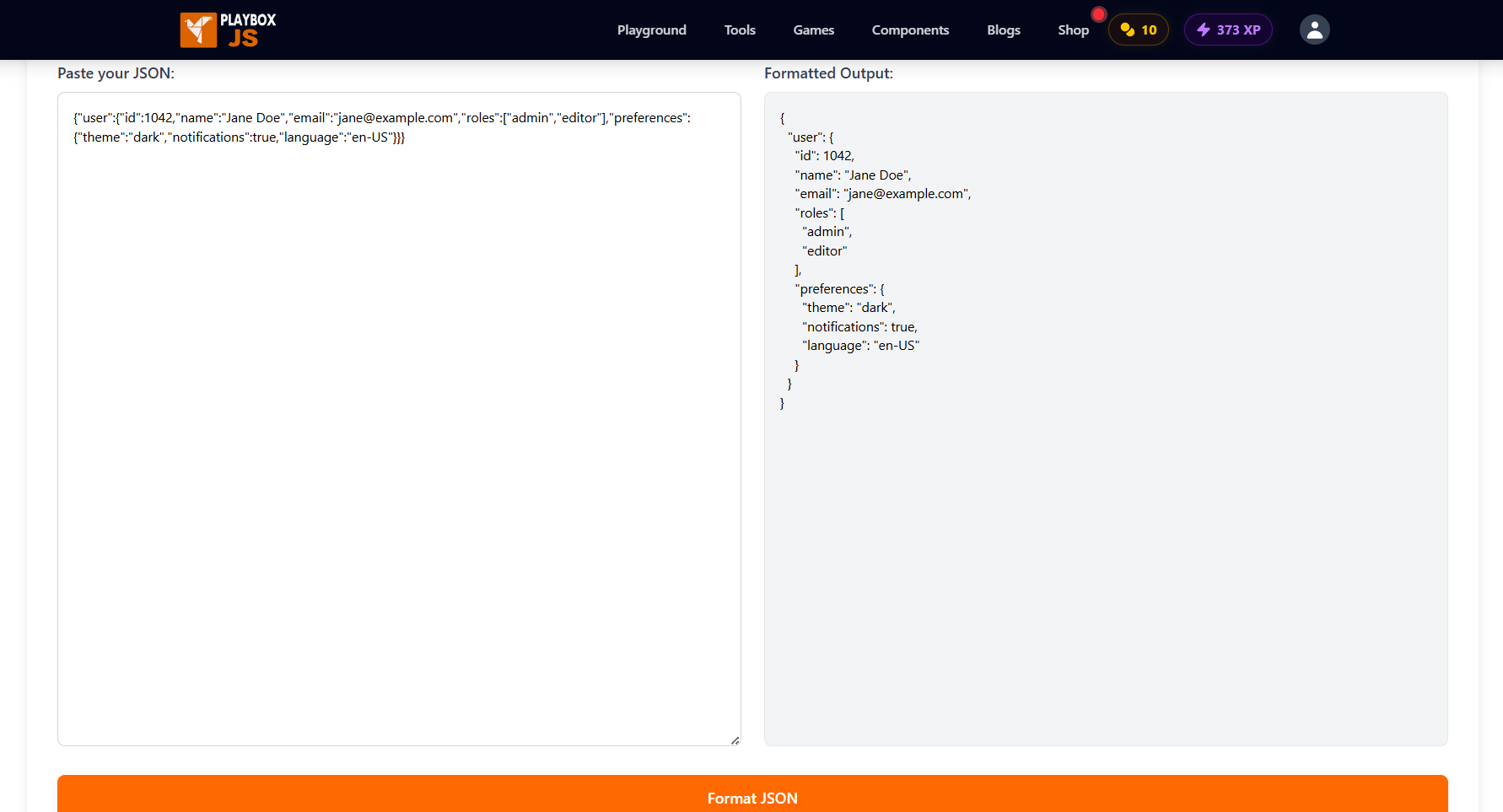
Before Formatting (Raw API Response)
{"user":{"id":1042,"name":"Jane Doe","email":"jane@example.com","roles":["admin","editor"],"preferences":{"theme":"dark","notifications":true,"language":"en-US"}}}After Formatting (Readable JSON Data)
{
  "user": {
    "id": 1042,
    "name": "Jane Doe",
    "email": "jane@example.com",
    "roles": [
      "admin",
      "editor"
    ],
    "preferences": {
      "theme": "dark",
      "notifications": true,
      "language": "en-US"
    }
  }
}
Same data. Completely different readability. You can now see the structure at a glance, spot missing fields, and trace nested values without squinting.
How to Format Large JSON Files Online (Step-by-Step)
You don’t need to install a JSON editor, configure a VS Code extension, or write a script. The PlayboxJS JSON Formatter is a free, browser-based JSON beautifier tool that formats and validates your JSON instantly.
Step 1: Open the JSON Formatter Online
Go to playboxjs.com/tools/json-formatter. The tool loads immediately — no account, no sign-up, no extensions required.
Step 2: Paste Your Raw JSON
Click into the input panel on the left and paste your JSON. This can be a minified API response, a raw config file, a database export, or any valid JSON string.
Step 3: Click “Format JSON”
Hit the Format JSON button. The tool parses your input using the browser’s native JSON.parse() engine and outputs a properly indented, readable JSON result in the right panel.
Step 4: Review the Output or Fix Errors
If your JSON is valid, the formatted output appears instantly with 2-space indentation. If there’s a syntax error, the tool tells you exactly what went wrong — for example, Invalid JSON: Unexpected token } at position 142. This makes it easy to validate JSON online without guessing.
Step 5: Copy and Use the Result
Copy the formatted output directly from the panel and paste it into your editor, documentation, or debugging session. No download required.
Performance Tips When Working with Large JSON Files
Not all JSON formatter online tools handle large files gracefully. Here’s how to work with big payloads without running into issues.
Keep Files Under 5 MB for Browser Tools
Browser-based formatters work best with files under 5 MB. For very large files (10 MB+), consider using a command-line tool like jq or a dedicated desktop app. For most API debugging and development work, browser tools are more than sufficient.
Validate Before You Format
If you suspect your JSON is malformed, validate it first. A good formatter catches errors and reports the exact position of the problem, saving you from hunting through thousands of lines manually.
Use Chunking for Massive Datasets
If you’re working with a large JSON array (e.g., thousands of records), split it into smaller chunks for inspection. Extract a subset, format and review it, then move to the next batch.
Never Edit Minified JSON Directly
Always format first, make your changes in the readable version, then minify again if needed. Editing raw minified JSON is how syntax errors get introduced.
When Should You Use a JSON Formatter?
A JSON beautifier tool is useful in more situations than you might think:
- API development — inspecting request/response payloads during development.
- Debugging — finding the exact field causing a parsing error.
- Code reviews — sharing readable JSON in pull requests or documentation.
- Configuration files — reviewing or editing
package.json,tsconfig.json, or any JSON config. - Data analysis — making sense of exported database records or log files.
- Learning — understanding the structure of a third-party API response.
Frequently Asked Questions
What is a JSON formatter online?
A JSON formatter online (also called a JSON beautifier or pretty-printer) is a browser-based tool that takes raw or minified JSON and adds proper indentation and line breaks to make it human-readable. It also validates the JSON and reports any syntax errors — no installation needed.
How do I pretty print a large JSON file?
Paste your JSON into a JSON formatter online like PlayboxJS, then click Format JSON. The tool will instantly pretty-print the output with proper indentation, making even deeply nested structures easy to read.
What’s the difference between formatting and validating JSON?
Formatting (or pretty-printing) adds indentation and whitespace for readability. Validating checks whether the JSON is syntactically correct. A good JSON formatter does both — it validates first, then formats if valid, or reports an error if not.
Why does my JSON formatter say “Invalid JSON”?
Common causes:
- Trailing commas —
{"key": "value",}is invalid (trailing comma after the last item). - Single quotes — JSON requires double quotes for keys and string values.
- Unquoted keys —
{name: "value"}is JavaScript object syntax, not valid JSON. - Missing commas — between items in an array or object.
Is it safe to paste sensitive JSON into an online formatter?
With PlayboxJS, yes. The tool processes everything client-side — your JSON is parsed locally in your browser using JavaScript and is never sent to any server. It’s safe for API responses, config files, and other sensitive data.
What is the difference between JSON and a JavaScript object?
JSON is a text-based data format derived from JavaScript object syntax, but it’s stricter. JSON requires double-quoted keys, doesn’t allow trailing commas, doesn’t support comments, and only allows specific value types (string, number, boolean, null, array, object). A JavaScript object is a runtime data structure with more flexibility.
Can I use a JSON formatter to minify JSON too?
Formatting and minifying are opposite operations. Formatting adds whitespace; minifying removes it. If you need to minify JSON after reviewing it, use the PlayboxJS JavaScript Minifier or a dedicated JSON minifier tool.
Conclusion
Unformatted JSON is a productivity killer. Whether you’re debugging an API, reviewing a config, or inspecting a data export, spending time deciphering a wall of raw text is time you could spend building.
A good JSON formatter online turns that wall of text into a clean, navigable structure in one click.
Try the PlayboxJS JSON Formatter — paste your JSON, hit format, and get readable JSON data instantly. It’s free, private, and requires nothing to set up.
While you’re there, explore more free developer tools on PlayboxJS:
- Regex Tester — Test and debug regular expressions live
- JavaScript Minifier — Compress JS for production
- JavaScript Beautifier — Format minified code for debugging
- Diff Checker — Compare two JSON payloads or code blocks side-by-side