You’re debugging an API response and the created_at field looks like this: 1722474600.
Not a readable date. Not a formatted time string. Just a raw integer.
This is epoch time — also called a Unix timestamp — and it’s the standard way computers store time. If you work with APIs, databases, or logging systems, you’ll need to convert these numbers into something human-readable constantly.
In this guide, you’ll learn exactly what epoch time is, why the seconds vs. milliseconds mistake trips up 90% of developers, and how to convert epoch time to date in JavaScript correctly every single time.
What Is Epoch Time (Unix Timestamp)?
Epoch time, also known as Unix time or POSIX time, represents the number of seconds that have passed since January 1, 1970, 00:00:00 UTC — the Unix Epoch.
It’s a timezone-neutral integer that allows systems around the world to synchronize time perfectly.
Why Use Unix Timestamps?
- Universal: No timezone confusion (it’s always UTC).
- Efficient: Stores date and time as a single number.
- Sortable: Simple integer comparison works for chronological sorting.
- Cross-Platform: Works identically in JavaScript, Python, PHP, Java, and SQL.
Quick Reference:
| Epoch Timestamp | Human-Readable Date (UTC) |
|---|---|
0 | January 1, 1970, 00:00:00 |
1609459200 | January 1, 2021, 00:00:00 |
1722474600 | August 1, 2024, 10:30:00 |
The #1 Mistake: Seconds vs. Milliseconds
This is the most common bug when working with JavaScript timestamp conversion.
- Unix timestamps are usually in seconds (10 digits).
- JavaScript
Dateobjects require milliseconds (13 digits).
If you feed a standard Unix timestamp directly into new Date(), JavaScript treats it as milliseconds after 1970, resulting in a date just a few weeks after Jan 1st, 1970.
❌ The Wrong Way
// Valid Unix timestamp (seconds)
const ts = 1722474600;

// Treated as milliseconds -> returns date in 1970
const date = new Date(ts);
console.log(date.toISOString()); // "1970-01-21T00:08:54.600Z" (Oops!)
✅ The Correct Way
// Multiply by 1000 to convert seconds to milliseconds
const date = new Date(ts * 1000);
console.log(date.toISOString()); // "2024-08-01T10:30:00.000Z" (Correct)
Rule of Thumb:
- 10 digits? It’s seconds. Multiply by
1000. - 13 digits? It’s milliseconds. Use it directly.
How to Convert Epoch to Date in JavaScript
Here are the three most common ways to format a Unix timestamp to date in JavaScript.
Method 1: Get an ISO String (UTC)
Best for storing dates in databases or sending to APIs.
const epochSeconds = 1722474600;
const date = new Date(epochSeconds * 1000);

console.log(date.toISOString());
// Output: 2024-08-01T10:30:00.000Z
Method 2: Get a Local Readable String
Best for displaying dates to users in their local timezone.
const date = new Date(1722474600 * 1000);

console.log(date.toLocaleString());
// Output (US/EST): "8/1/2024, 6:30:00 AM"
// Output (India/IST): "1/8/2024, 4:00:00 pm"
Method 3: Custom Formatting options
You can pass Intl.DateTimeFormat options to customize the output.
const date = new Date(1722474600 * 1000);

const formatted = date.toLocaleString("en-US", {
  year: "numeric",
  month: "long",
  day: "numeric",
  hour: "2-digit",
  minute: "2-digit",
  timeZoneName: "short",
});

console.log(formatted);
// Output: "August 1, 2024 at 06:30 AM EDT"
UTC vs. Local Time: Avoiding Bugs
JavaScript’s Date object stores time in UTC internally, but methods like getHours() or toString() output local time based on the user’s system settings.
If you need consistent UTC output on a server (Node.js), always use the UTC methods:
const date = new Date(1722474600 * 1000);

// Local time (depends on server location)
console.log(date.getHours());    // Could be 6, 16, 10...

// UTC time (always consistent)
console.log(date.getUTCHours()); // Always 10
How to Convert Epoch Time Online (Step-by-Step)
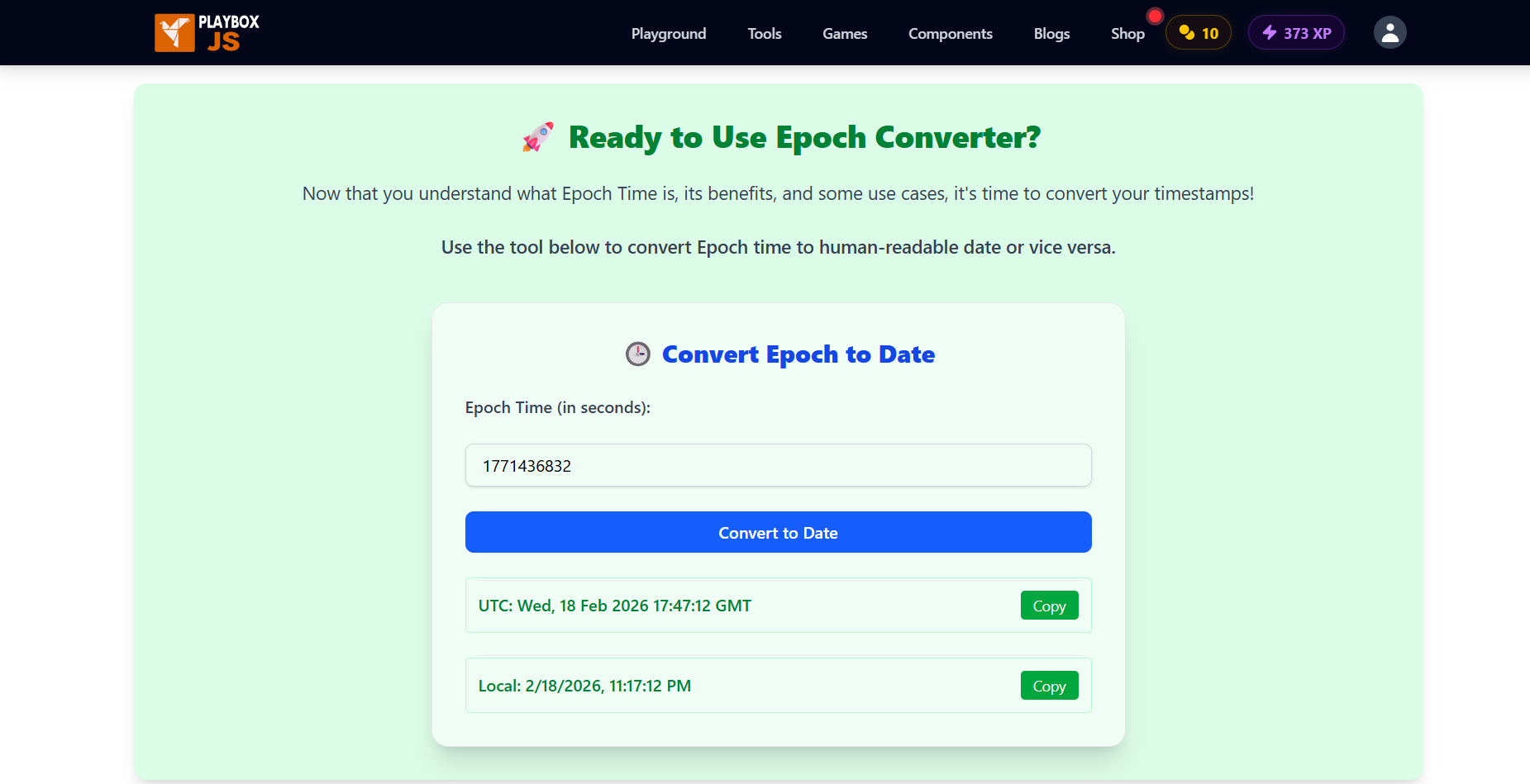
Sometimes you don’t want to write a script just to check a timestamp. A dedicated epoch time converter allows you to debug values instantly.
The PlayboxJS Epoch Converter is a free tool created specifically for this workflow.
Step 1: Open the Converter
Go to playboxjs.com/tools/epoch-converter.
Step 2: Paste Your Timestamp
Paste your integer. The tool automatically detects if you’re using seconds (10-digit) or milliseconds (13-digit).
Step 3: View Converted Date
See the human-readable date in both UTC (GMT) and your Local Timezone instantly.
Step 4: Convert Reverse (Date to Epoch)
You can also pick a calendar date and get the correct Unix timestamp to use in your code.
Cheat Sheet: Common Temporal Conversions
Copy-paste these snippets for your project.
// Current Epoch (Seconds)
const nowSeconds = Math.floor(Date.now() / 1000);

// Current Epoch (Milliseconds)
const nowMs = Date.now();

// Epoch Seconds -> Date Object
const date = new Date(seconds * 1000);

// Date Object -> Epoch Seconds
const ts = Math.floor(date.getTime() / 1000);

// ISO 8601 String -> Epoch Seconds
const ts = Math.floor(new Date("2024-08-01T10:30:00Z").getTime() / 1000);
Frequently Asked Questions
What is epoch time in JavaScript?
Reference to time in JavaScript is natively stored as milliseconds since the Unix Epoch (Jan 1, 1970). However, “epoch time” generally refers to seconds in most other contexts (Unix, PHP, Python). You must multiply/divide by 1000 to convert between them.
How do I convert a Unix timestamp to a readable date?
Multiply the timestamp by 1000 (if it’s in seconds), create a new Date() object, and use .toLocaleString() or .toISOString() to format it.
Why is my converted date in 1970?
You likely passed a seconds timestamp (e.g., 1722474600) into new Date() directly. JavaScript interprets this as 1.7 billion milliseconds (about 20 days) after Jan 1, 1970. Multiply your input by 1000 to fix it.
How do I get the current timestamp in JavaScript?
Use Date.now() for milliseconds. Use Math.floor(Date.now() / 1000) for seconds (standard Unix timestamp).
Is epoch time affected by timezones?
No. Epoch time is timezone-independent. It represents a specific absolute point in time. Timezones only affect how that point in time is displayed to a human (e.g., “5:00 PM EST” vs “10:00 PM UTC”).
Conclusion
Handling dates and times is notoriously difficult in programming, but understanding epoch time conversion solves half the battle. Remember the “seconds vs. milliseconds” rule, and you’ll avoid the most common date bugs.
For instant debugging without the mental math, keep the PlayboxJS Epoch Converter bookmarked. It converts both ways and handles timezones for you automatically.
More Free Developer Tools:
- JSON Formatter — Pretty-print and debug JSON
- Regex Tester — Test regular expressions live
- JavaScript Minifier — Reduce JS file size
- Diff Checker — Compare code snippets