We’ve all been there. You open a JavaScript file to debug a critical issue, and instead of clean, readable code, you’re staring at a single, massive wall of text that scrolls horizontally forever.
Variable names are single letters (a, b, c), whitespace is gone, and the logic is completely impenetrable.
This is minified code. While it’s fantastic for web performance and loading speeds, it’s a nightmare for developers who need to understand what’s happening under the hood.
The good news? You don’t have to squint at that mess. In this guide, I’ll show you how to essentially “un-minify” or beautify minified JavaScript back into a structured, readable format in seconds—using free online tools.
Why Is JavaScript Minified?
Before we fix the readability issue, it helps to understand why the code looks like that in the first place.
Developers (or rather, their build pipelines) intentionally minify JavaScript before deploying to production. This process uses tools like Terser, UglifyJS, or Webpack to:
- Reduce file size (typically by 30–60%).
- Speed up page load times (less data to download).
- Save bandwidth for both the server and the end-user.
The browser executes this:
function x(a,b){return a+b}Just as perfectly as it executes this:
function calculateSum(firstNumber, secondNumber) {
    return firstNumber + secondNumber;
}
But as a human developer trying to debug a live site, you definitely need the second version.
What Does a JavaScript Beautifier Do?
A JavaScript Beautifier (also known as a JS formatter or un-minifier) takes that compressed, ugly code and reconstructs the formatting for human readability.
It intelligently adds:
- Indentation (tabs or spaces) to visually separate logic blocks.
- Line breaks to give each statement its own line.
- Spacing around operators and brackets to prevent eye strain.
Important Note: A beautifier cannot restore original variable names if they were “mangled” (renamed) during minification. If var userData became var u, it stays var u unless you have access to the original Source Map. However, beautifying the structure allows you to trace the logic flow, which is often all you need to solve the problem.
Example: Before vs. After Beautification
Let’s look at a real-world transformation to see the difference a JavaScript formatter makes.
🔴 The Problem (Minified Code)
/* Impossible to debug */
!function(){var e=document.getElementById("btn"),n=0;e.addEventListener("click",function(){n++,console.log("Clicked:",n),n>10&&(e.style.display="none")})}();
🟢 The Solution (Beautified Code)
/* Readable and structured */
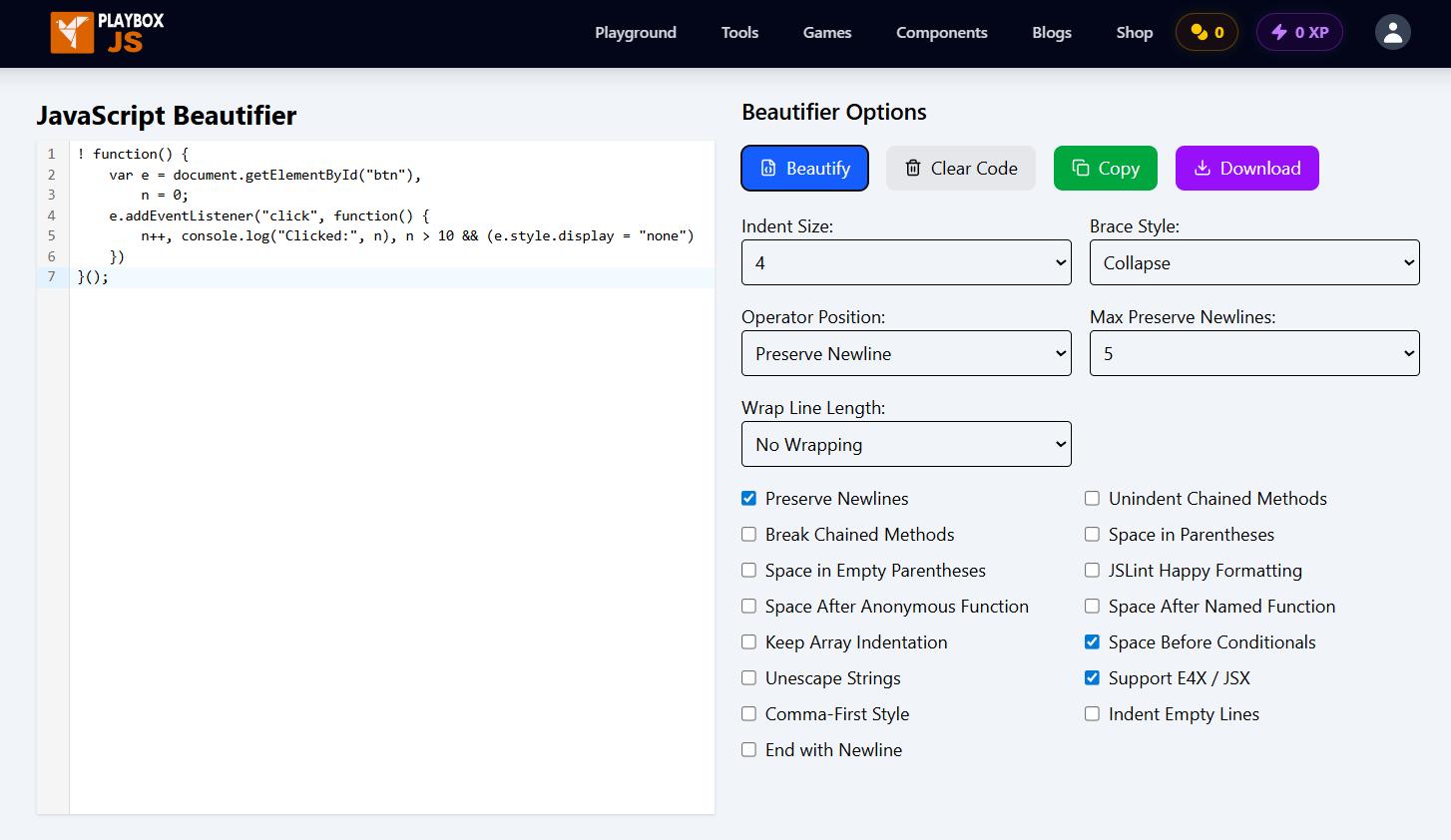
!function() {
    var e = document.getElementById("btn"),
        n = 0;
    e.addEventListener("click", function() {
        n++, console.log("Clicked:", n), n > 10 && (e.style.display = "none")
    })
}();
Now the logic is clear: the script listens for a click, increments a counter, logs the value, and hides the button if the count exceeds 10.
How to Beautify Minified JavaScript Online (Step-by-Step)
You can restore code readability instantly without installing heavy IDE plugins. The PlayboxJS JavaScript Beautifier is a fast, privacy-first tool designed exactly for this purpose.
Step 1: Copy the Minified Code
Locate the block of code that’s causing trouble. Whether it’s from Chrome DevTools, a legacy project file, or a CDN link, copy the entire minified string to your clipboard.
Step 2: Open the Online JavaScript Beautifier
Navigate to the PlayboxJS JavaScript Beautifier. This tool loads instantly and works directly in your browser.
Step 3: Paste and Click
Paste your code into the input editor. You can optionally adjust settings (like choosing 2 spaces vs. 4 spaces) to match your preferred coding style. Then, simply hit the Beautify button.
Step 4: Analyze or Export
Your code will instantly reformat in the output editor. You can read it directly, copy it back to your code editor, or download it as a clean .js file for offline use.
Privacy Tip: The PlayboxJS tool runs 100% client-side. Your code is processed locally on your device and is never sent to an external server, making it safe for proprietary or sensitive scripts.
Frequently Asked Questions
Can I fully restore original variable names?
Generally, no. If the minification process renamed variables (e.g., userName -> u), that context is lost forever unless you have the original Source Map (.map file). However, beautifying the code makes the control flow readable again, which is usually enough for debugging.
Does beautifying code change how it runs?
No. Beautifying JavaScript only adds “whitespace” (spaces, tabs, newlines) for humans. It does not alter the logic, syntax, or execution order of the script. The browser treats beautified and minified code exactly the same way.
Can I use this for other languages?
Yes! Most code formatters use similar logic for C-style languages. PlayboxJS also offers a dedicated JSON Formatter if you’re dealing with messy API responses or configuration files.
Is it okay to use beautified code in production?
No. You should only unminify JavaScript locally for debugging or development. For your live website, you want the file size to be as small as possible (minified) to ensure fast load times. Always keep your source code (readable) separate from your production code (minified).
Conclusion
Minified code is efficient for machines but hostile to humans. Don’t waste valuable time trying to mentally parse a wall of text.
Next time you encounter a compressed script, drop it into the PlayboxJS JavaScript Beautifier. It’s the simple, free way to turn “spaghetti code” back into readable logic you can actually work with.
Happy coding!